



Knowledge Base
Registration
1. Click on the profile icon to sign in.
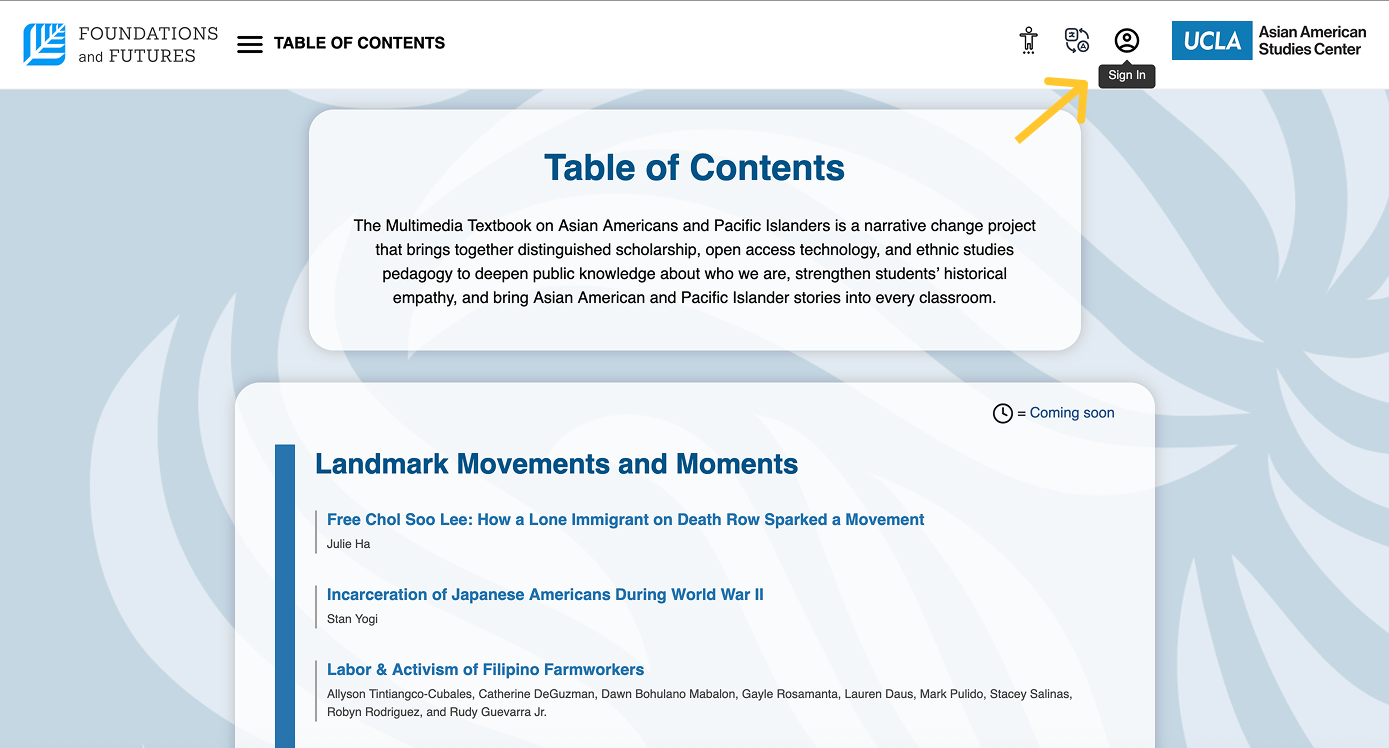
2. From there, create a new account by clicking on Sign Up
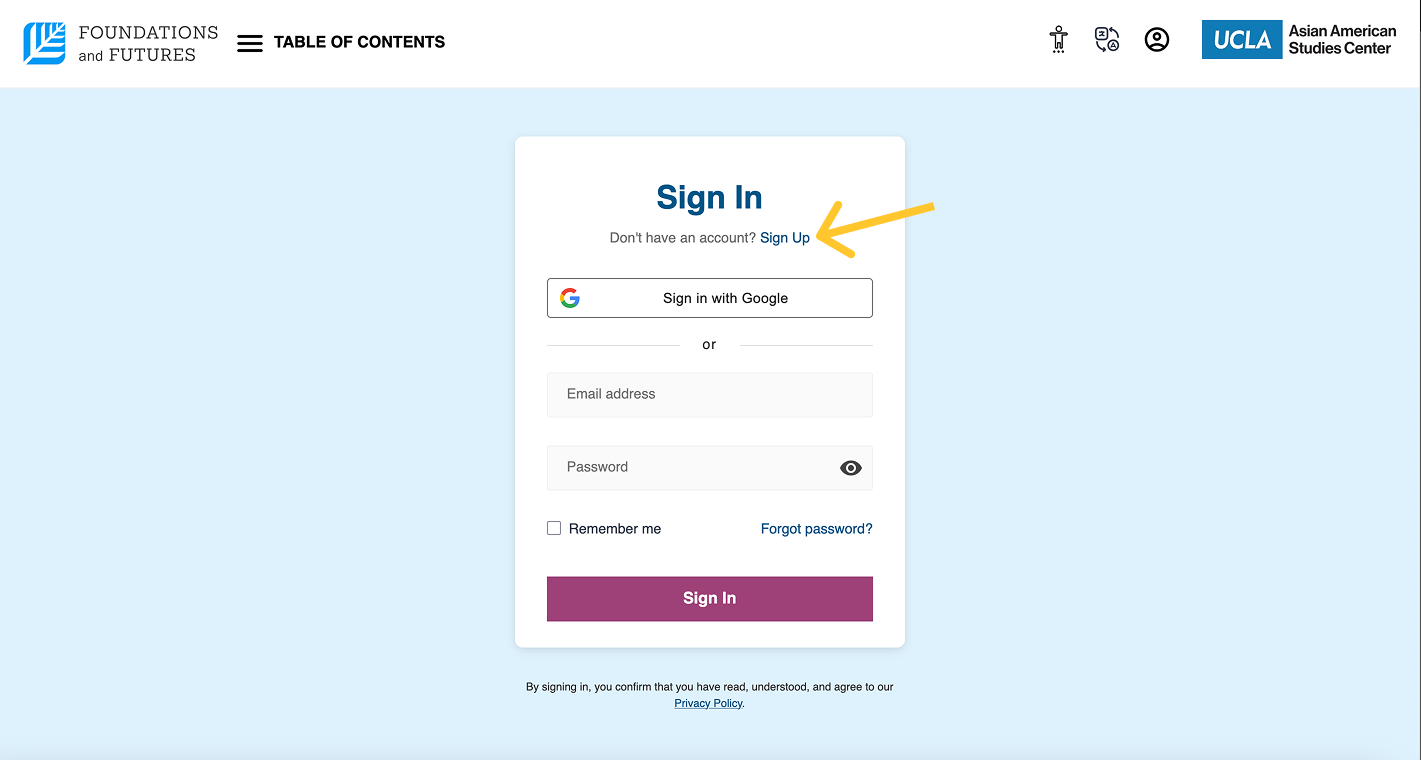
3. Enter your credentials and account type (Learner of Educator).
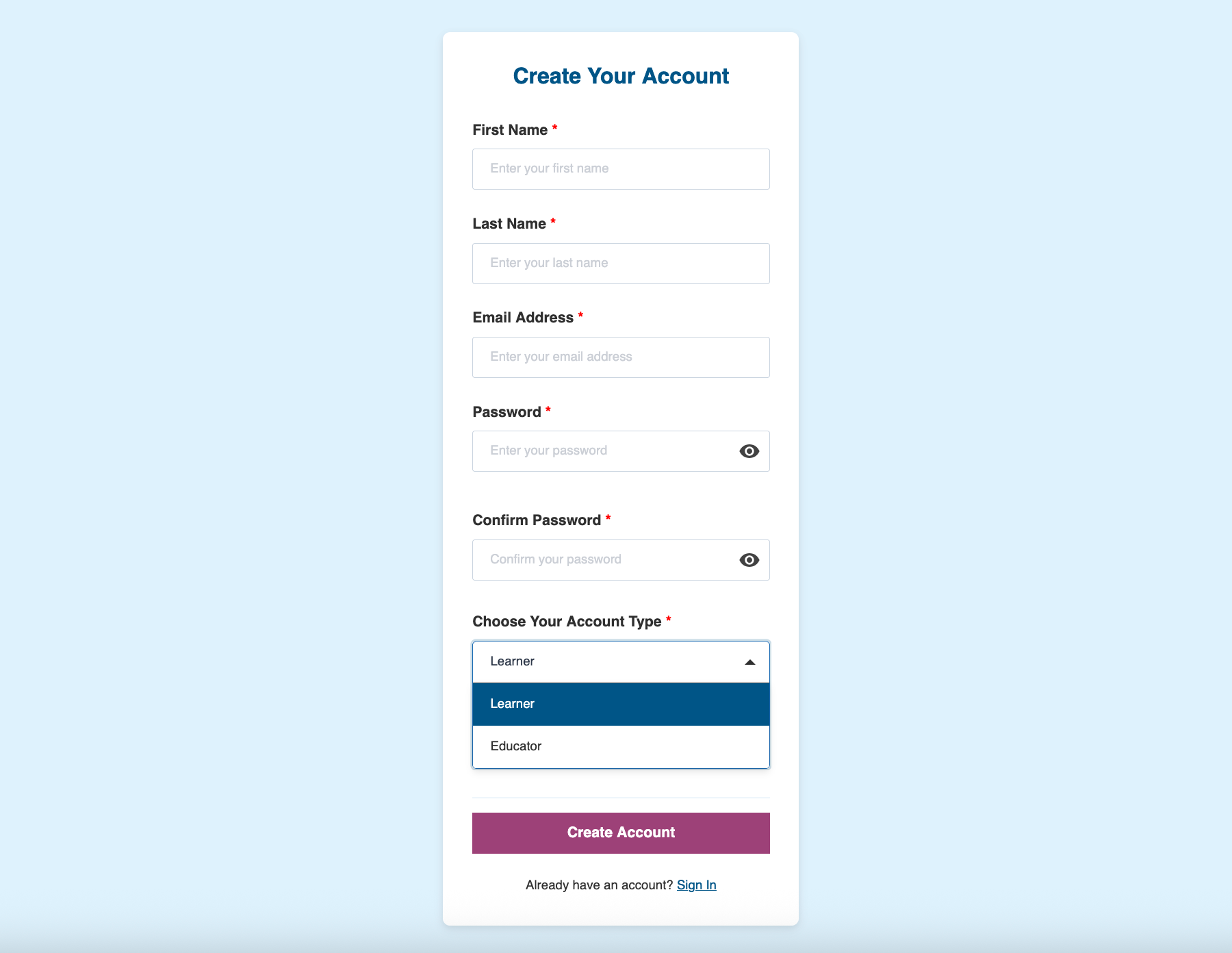
What is a Learner and Educator account?
– A learner account is designed for students, built with standard access to textbook content, but without any educator features.
– An educator account provides full access to the learning resources, digital textbook tools, and classroom features designed specifically for instructors. You will still need to verify your educator status before gaining access to these features.
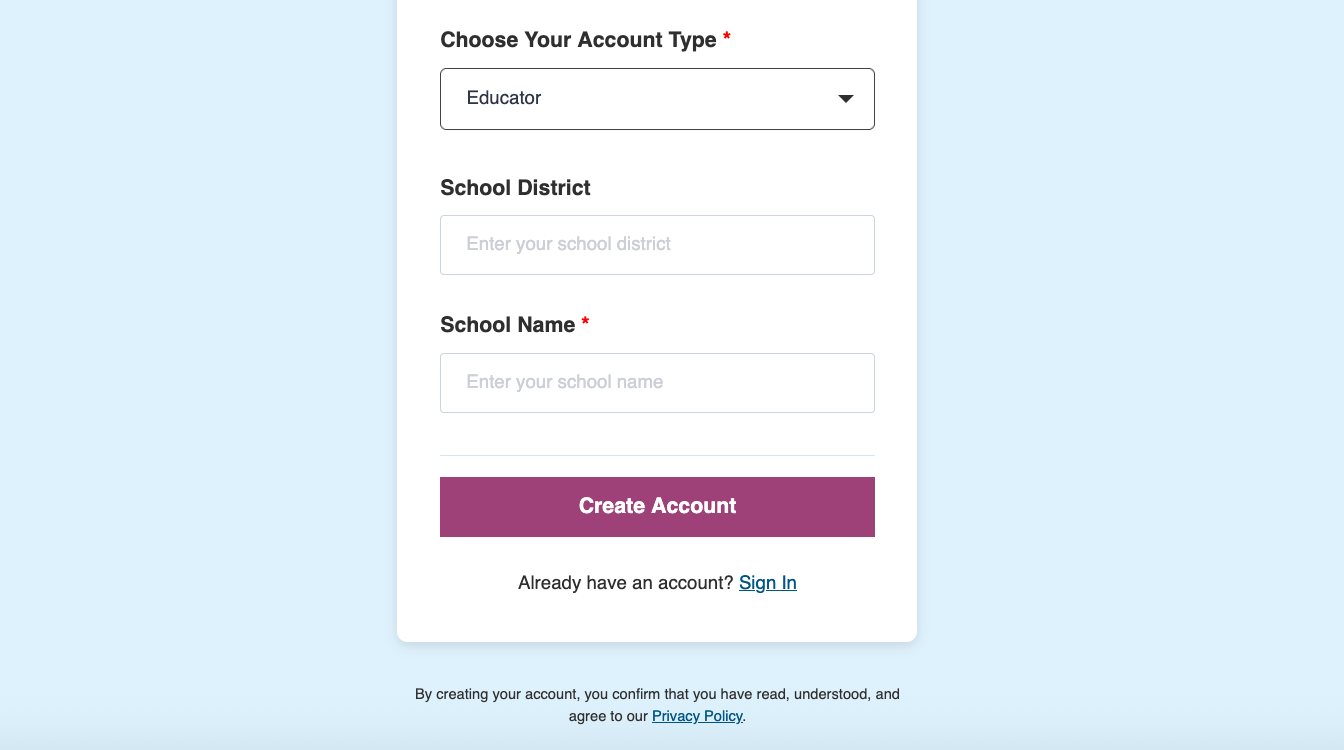
4. Once submitted, your new Foundations and Futures account will be created and can be used after completing an email verification (an email will be sent to your inbox).

Already have an account?
– You can sign in with Google or manually input your email address and password.
– If you forgot your password, click on Forgot Password and enter your email address to receive a link to reset your password.